Install in LiquidBounce
Run this command in-game to subscribe and receive updates automatically.
.marketplace subscribe 791Screenshots
2 screenshots
About
LiquidBounce draws its menus, like the title screen, the ClickGUI and the HUD, as small web pages. To show them, the client comes with a built-in browser called Chromium, the same engine that powers Google Chrome.
This add-on gives you a second choice: Ultralight, a different browser engine that is made for showing menus inside games and apps.
It is only an alternative. LiquidBounce does not run better or faster with Ultralight, and nothing changes about how the client plays. Your menus look and work the same, with a few small visual differences.
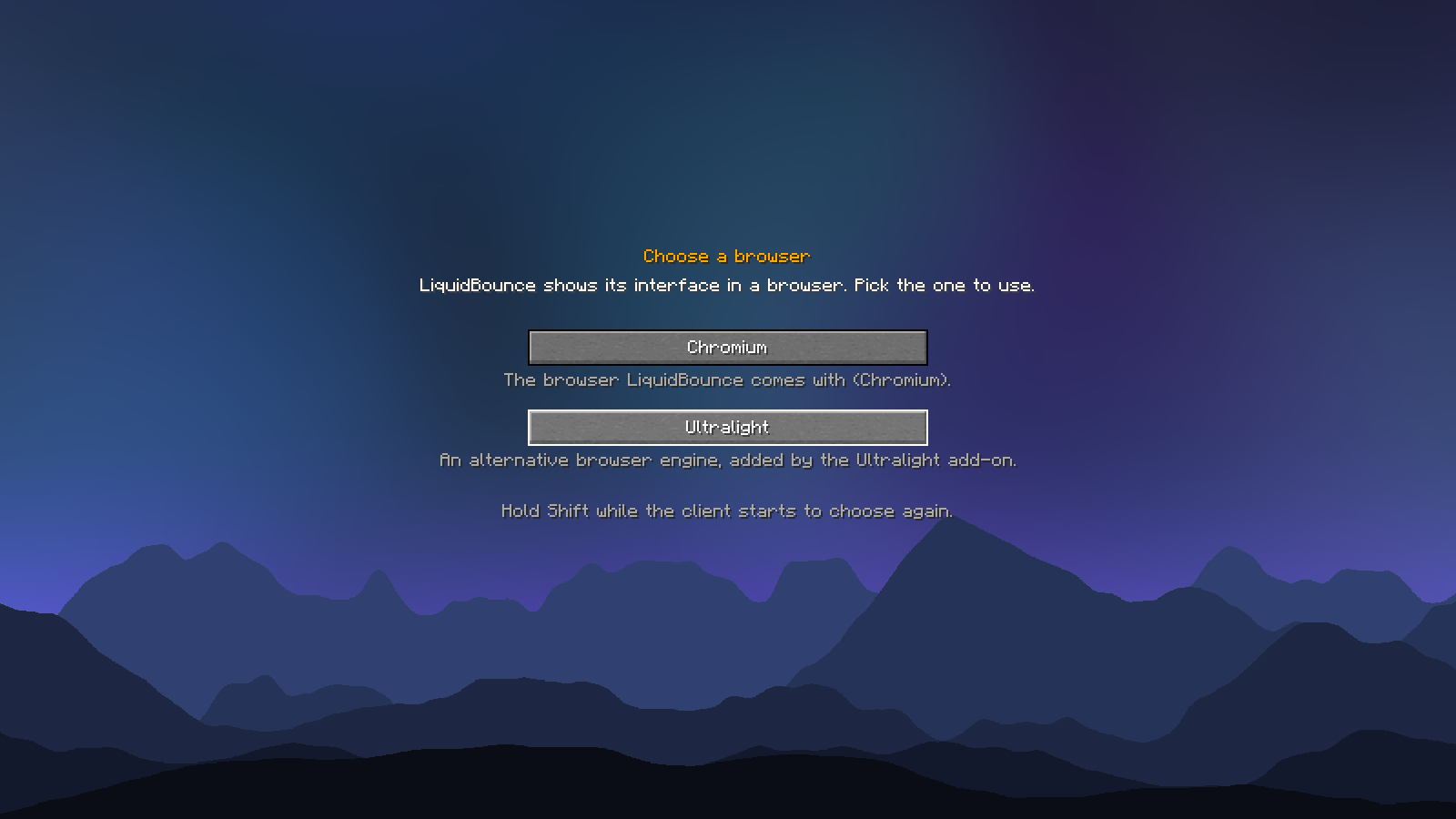
[Choosing the browser when the client starts]
How to use it
- Subscribe to this add-on and restart LiquidBounce.
- On the next start, the client asks which browser to use. Pick Ultralight.
- Ultralight is downloaded once, then the client starts as usual.
[The title screen shown with Ultralight]
Changing your mind
Your choice is remembered. To choose again, hold Shift while the client starts and pick the other browser. If you remove the add-on, LiquidBounce simply goes back to Chromium.
Good to know
- Available for Windows, macOS and Linux.
- A few details look slightly different than with Chromium, for example the icons of the title screen buttons keep their colour when you hover them.
- Ultralight is made by Ultralight, Inc. and is used under its license.
Versions
2 releases, newest first.
File details & build provenance
- Name
- addon.zip
- SHA-256
- 4a12438e9d910dc25cd3f6e2b631fc87d71b4e05fd1402c88bd1fde01ad370af
File details & build provenance
- Name
- addon.zip
- SHA-256
- 3170fd59b9b67a8345aa47c5306e170d1ca43a865551698a6cf072e0de11f474
Contributors
1 contributor
- 1Z1zun4Author
First contribution Sep 26, 2026 · latest Oct 19, 2026
Details
- Type
- Add-on
- Latest
- v1.1.0+26.3
- Compatibility
- LiquidBounce v0.41.0
- Downloads
- 551
- Versions
- 2 uploaded
- Created
- Sep 26, 2026
- Updated
- Oct 8, 2026