Install in LiquidBounce
Run this command in-game to subscribe and receive updates automatically.
.marketplace subscribe 721Screenshots
4 screenshots
About
Sigma 3.9 Theme
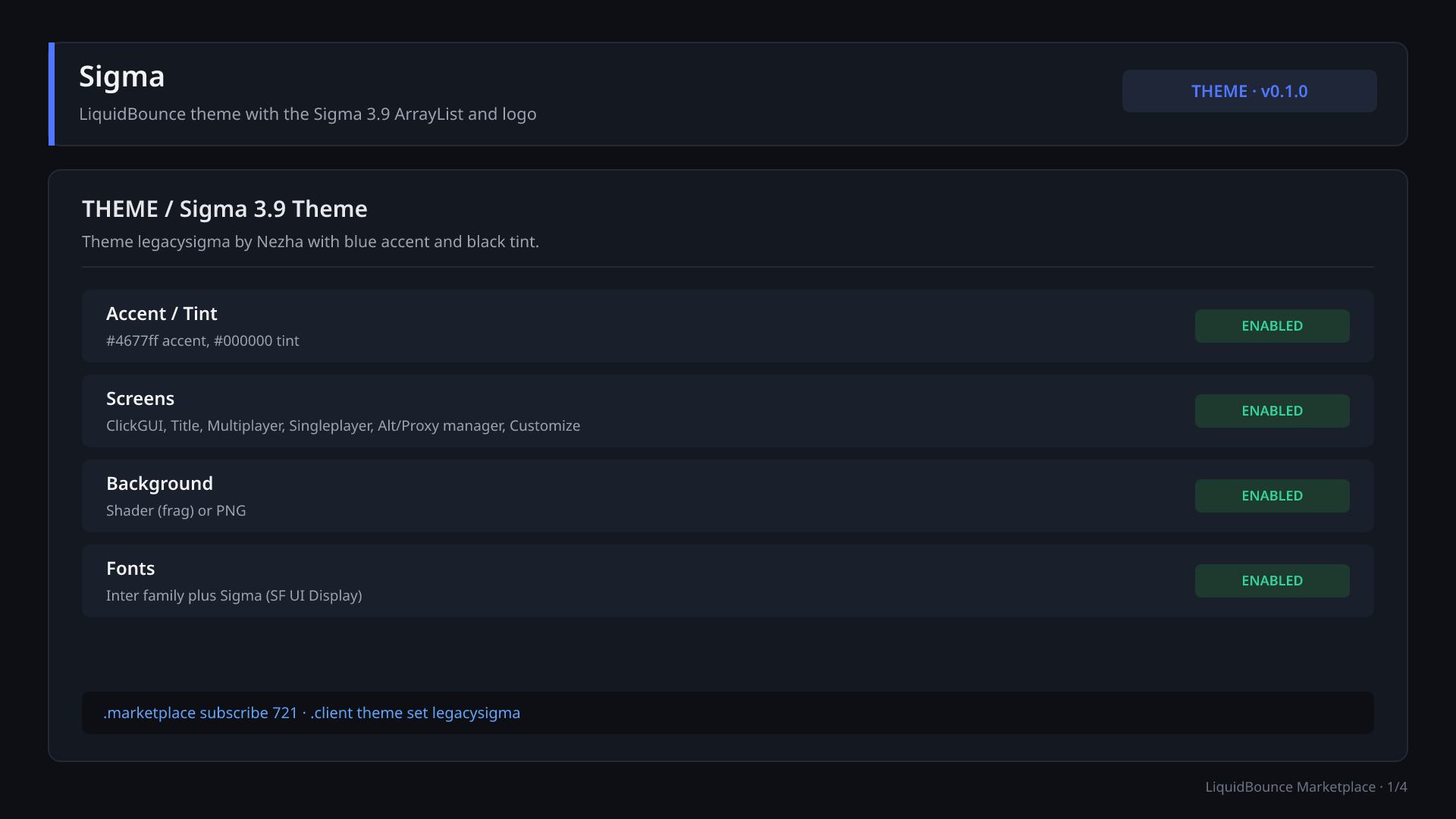
Sigma is a LiquidBounce Nextgen theme by Nezha. It is a modified version of the default LiquidBounce theme that adds the ArrayList and logo style of the Sigma 3.9 client. The theme ID is legacysigma and the theme version is 0.1.0. It uses a blue accent color (#4677ff), a black tint (#000000), the Inter font family, and an extra Sigma font face (SF UI Display Medium) defined in the stylesheet.
Installing
.marketplace subscribe 721
.client theme set legacysigma
Source: https://github.com/CCBlueX/LiquidBounce-Theme-Sigma
Screens and overlays
The theme provides these screens:
- ClickGUI (
clickgui) - Title screen (
title) - Proxy manager (
proxymanager) - Multiplayer (
multiplayer) - Alt manager (
altmanager) - Customize (
customize) - Singleplayer (
singleplayer)
It also provides these overlays: basicmenu, hud, inventory, container, disconnected and browser.
The background is named background and comes as a shader (frag) or a png image.
HUD components
The tables below list every HUD component in the theme with its default state, default position and settings, taken from the component config files.
Enabled by default
| Component | Description | Default position |
|---|---|---|
| ArrayList | Shows currently enabled modules (Sigma 3.9 style) | Top right |
| TabGui | Keyboard navigation for modules | Top left |
| Notifications | Client notifications | Bottom right |
| Scoreboard | Current server scoreboard | Left, centered |
| TargetHud | Combat info about your current target | Center |
| BlockCounter | Blocks available for bridging | Center |
| Effects | Active status effects | Right, centered |
Disabled by default
| Component | Description | Default position |
|---|---|---|
| Watermark | LiquidBounce branding and client info | Top left (offset 15, 15) |
| Hotbar | Replaces the vanilla hotbar and status display | Bottom center |
| ArmorItems | Equipped armor | Bottom center |
| InventoryStatistics | Tracks configured items in your inventory | Bottom center (offset 220) |
| Inventory | Main inventory contents | Bottom right |
| CraftingInventory | Crafting grid contents | Bottom right |
| EnderChestInventory | Ender Chest contents | Bottom right |
| Keystrokes | Movement key inputs | Bottom left |
| KeyBinds | Active module key bindings | Top left |
| Taco | A friendly taco | Bottom left |
| Image | Custom image from a URL or local file | Center |
| Text | Customizable text | Center |
| ClosedCaptions | Minecraft closed captions (enable them in Accessibility Settings) | Bottom right |
Component settings
ArrayList
- ShowTags: on
- ItemAlignment: Right (Left, Right)
- Order: Descending (Ascending, Descending)
Notifications
- Severities: INFO, SUCCESS, ERROR, ENABLED, DISABLED (at least one required)
Scoreboard
- Show: Header, Name, Score (at least one required)
- ReplaceRegex: empty
- ReplaceWith: empty
BlockCounter
- IconPosition: Left (None, Left, Right, Top, Bottom)
ArmorItems
- Layout: Vertical (Vertical, Horizontal)
InventoryStatistics
- Items: emerald, diamond, gold ingot, iron ingot, copper ingot
- ShowEmpty: on
- RowLength: 1 (1 to 9)
Image (more than one can be added)
- Source: URL or File
- URL: defaults to the LiquidBounce logo
- File: png, jpg, jpeg, webp, gif or svg
- Scale: 1.0 (0.0 to 10.0)
- Opacity: 100% (0 to 100)
Text
- Text: "Text"
- Color: white
- Font: Inter
- Size: 14px (1 to 100)
- Decorations: Bold, Italic, Underline, Strikethrough (all off)
- Shadow: off, with OffsetX and OffsetY (-10 to 10 px), BlurRadius (0 to 10 px) and Color (black)
- Glow: off, with Radius (0 to 10 px) and Color (white)
Watermark, TabGui, TargetHud, Effects, Hotbar, Inventory, CraftingInventory, EnderChestInventory, Keystrokes, KeyBinds, Taco and ClosedCaptions have no extra settings beyond position.
You can move components and change their settings in the theme's Customize screen.
Credits
- Theme by Nezha, based on the LiquidBounce default theme by CCBlueX.
- Country flag icons come from circle-flags (MIT License).
Versions
10 releases, newest first.
File details & build provenance
- Name
- sigma.zip
- SHA-256
- 0eb220a5f10567cffa559f0bbd26db088682f3033c5fad8a3f5eae54623fc9fe
File details & build provenance
- Name
- sigma.zip
- SHA-256
- cd6a5c865f11d866adfc9909e5710555d63d2513116ea1596cab08192587f1e2
File details & build provenance
- Name
- sigma.zip
- SHA-256
- 7833aeb74359b84fe614fd128e102b0b0978e9142964e5ea0471ebc5ffb1f16a
File details & build provenance
- Name
- sigma.zip
- SHA-256
- c3ae03a3781db97c5481e5aef29606a74623f44d7e4ac5570cd4e80c5ead9edf
File details & build provenance
- Name
- sigma.zip
- SHA-256
- 0be58c64a8983446148e8d4abad70f2388b2cf9f8aa9862566a1154057803744
File details & build provenance
- Name
- sigma.zip
- SHA-256
- 6aea12ac3de5fd07d94ad6f4c0c5a77cb7e1e7d7965912aa0ff8fc5799339abc
File details & build provenance
- Name
- sigma.zip
- SHA-256
- 6c8c9c6b19c91af1b98fbf18343752f61a70c43a325b653126ce544afd3b2636
File details & build provenance
- Name
- sigma.zip
- SHA-256
- 125ae1fd0e8671446aacd81bb569a1224899360a84f23a875a8968a1ef000183
File details & build provenance
- Name
- sigma.zip
- SHA-256
- 98fae26982fbf7253a05d500ff03f8a6f61e42cf2a8e7e59a211f6579cddb361
File details & build provenance
- Name
- sigma.zip
- SHA-256
- 54a301d3febf3f9f1484e428f029f49dcb977832ecec6e16dcf8e1838e403728
Contributors
2 contributors
Details
- Type
- Theme
- Latest
- build-22cb060
- Downloads
- 3,390
- Versions
- 10 uploaded
- Created
- Jan 8, 2025
- Updated
- Oct 14, 2026